Idle shifts
Choose whether shifts in which a machine didn't operate count toward your metrics, one shift at a time or for all new shifts.
The idle shifts setting helps you get accurate data about your machines' shifts. An idle (inactive) shift is a scheduled shift in which the machine didn't operate, meaning it had between 0 and 3% availability in Pulsar.
By default, Pulsar doesn't consider idle shifts, so they are left out of the metrics and indicators in Analytics. There are two ways to change this and include them.
Video
Include specific shifts
To keep the default of not considering idle shifts but include one in particular:
Go to Settings > Idle Shifts.
The Idle Shifts Settings page lists the idle shifts with their day, Shift, Machine and Availability (%). In the Consider column, check the box of the shift. You can select more than one, or use the box in the column header to select them all.
Click Save. Cancel discards your selection.
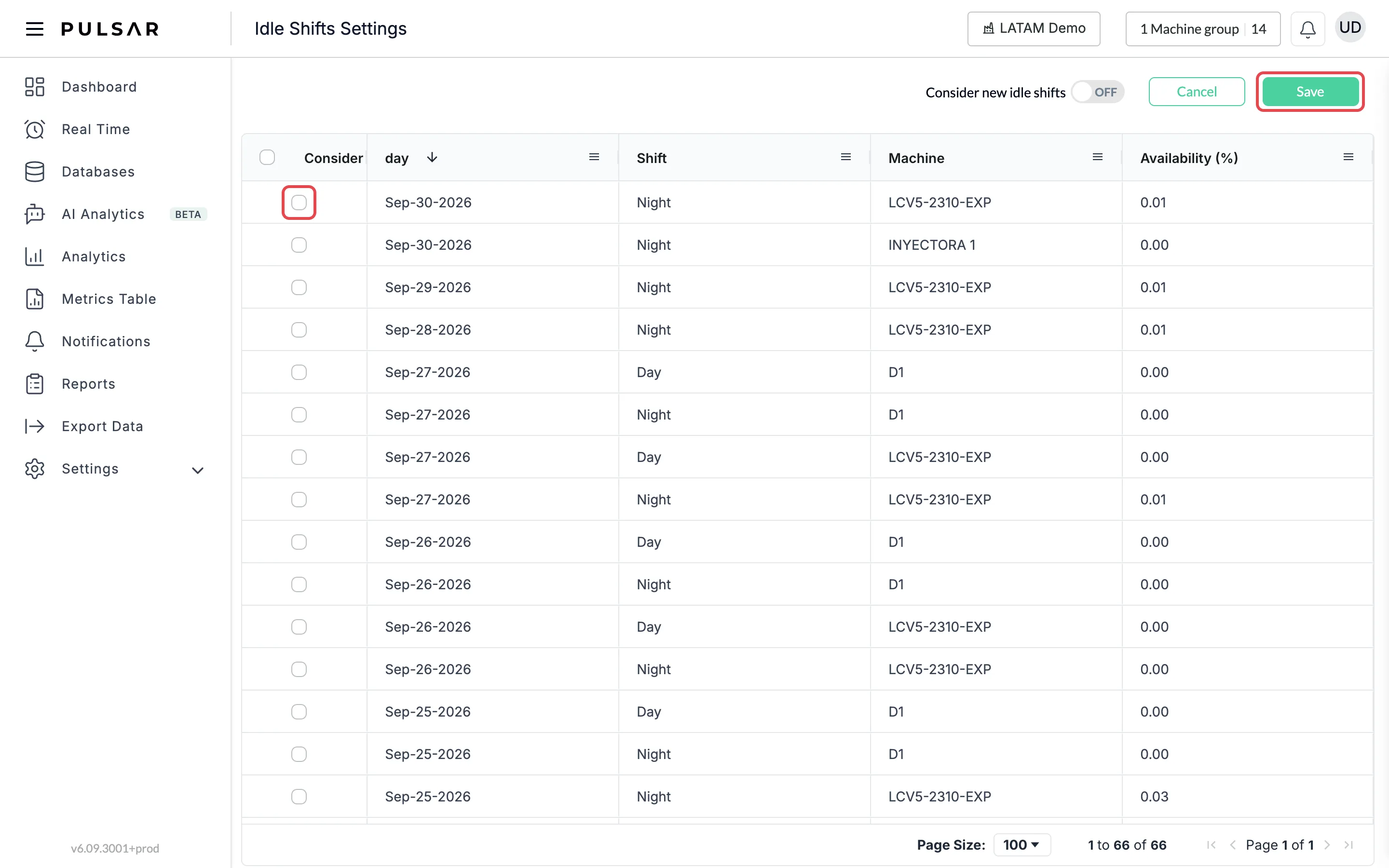
If you don't click Save, the shift isn't included.
Include all shifts
To change Pulsar's default and consider every idle shift:
Go to Settings > Idle Shifts.
Turn on the Consider new idle shifts switch at the top of the page (it shows OFF while it's off).
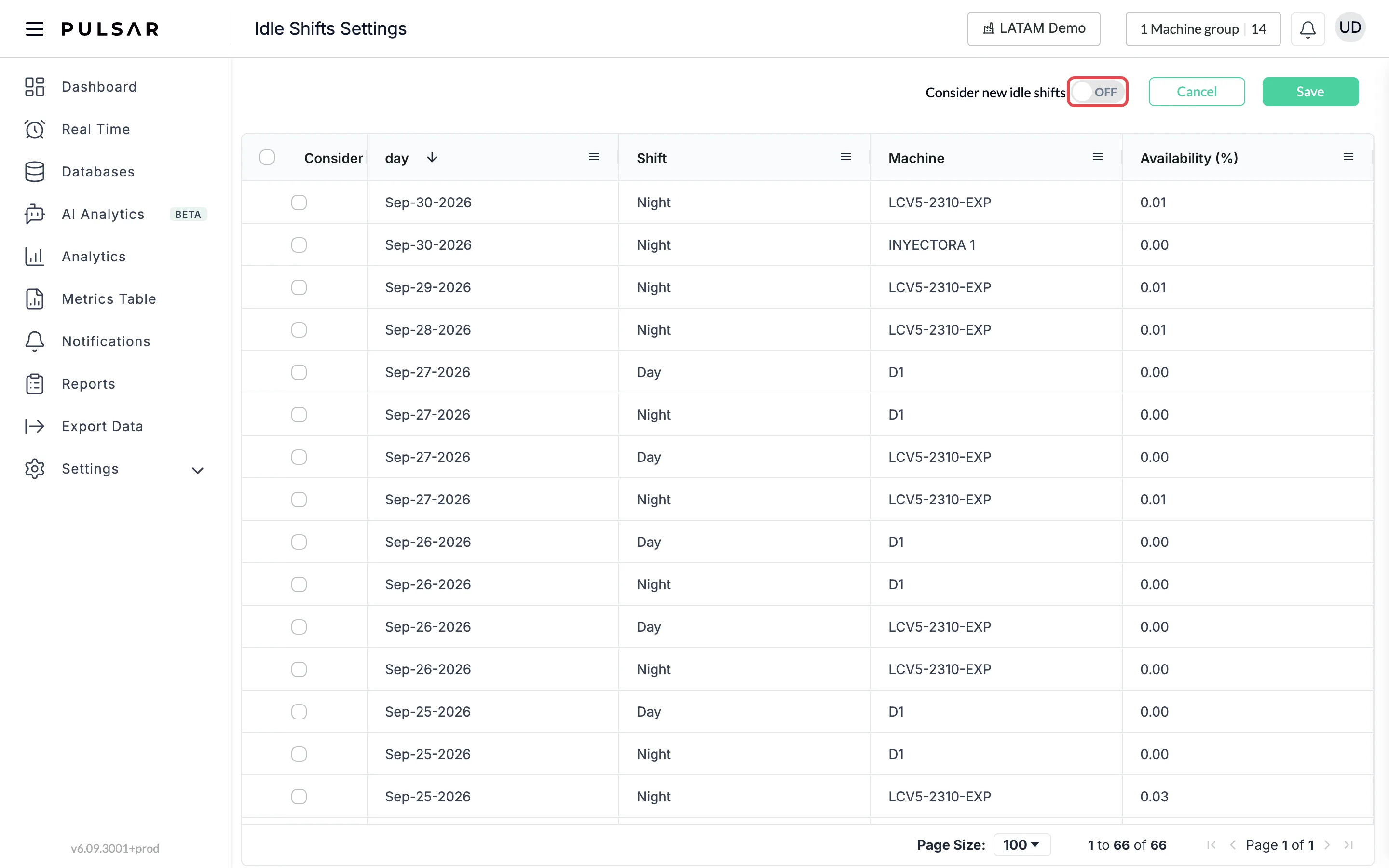
A confirmation message warns that shifts with 0 availability will be considered from now on for all metrics and indicators in the app. Click YES to apply it, or NO to leave the setting as it was.
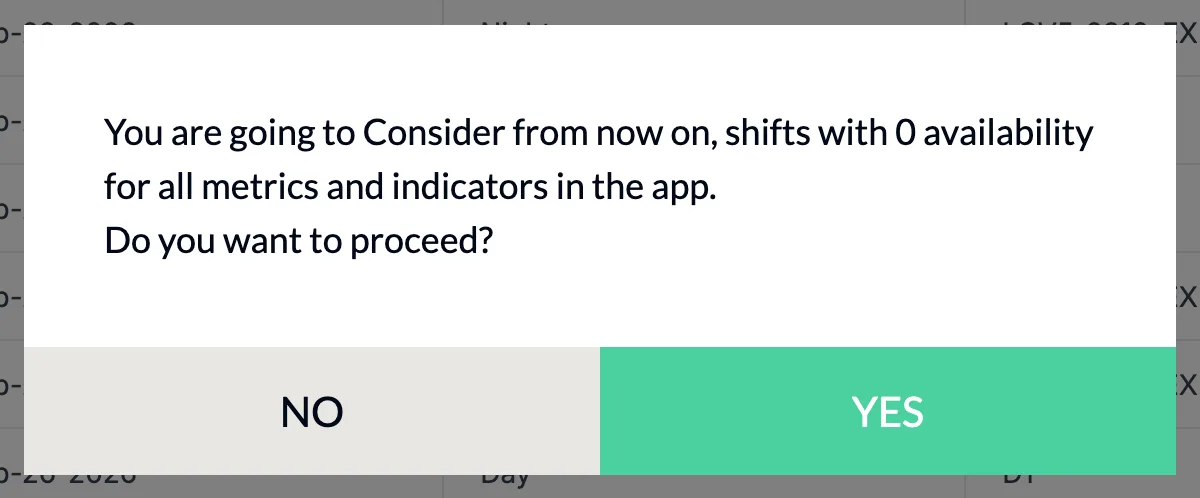
Idle shifts are considered from the date you apply this setting. To include past idle shifts, use the previous option.
If you have trouble setting up idle shifts or need help, contact your Customer Success representative or raise a support ticket from the app.