Machine running but showing 0%
Find and fix the sensor connection problem when a machine is producing on the floor but Pulsar shows 0% availability.
If a machine shows 0% availability in Pulsar while it is actually producing on the plant floor, the cause is probably a physical problem with the sensor connection.
In Real Time, the machine's card shows 0% under AVAILABILITY and 0h 0m under UPTIME, while DOWNTIME keeps growing. Its timeline is yellow for the whole period, as an unplanned stop, and turns red once the machine goes into Alert. Hover over the timeline to see the stop's start and end times.
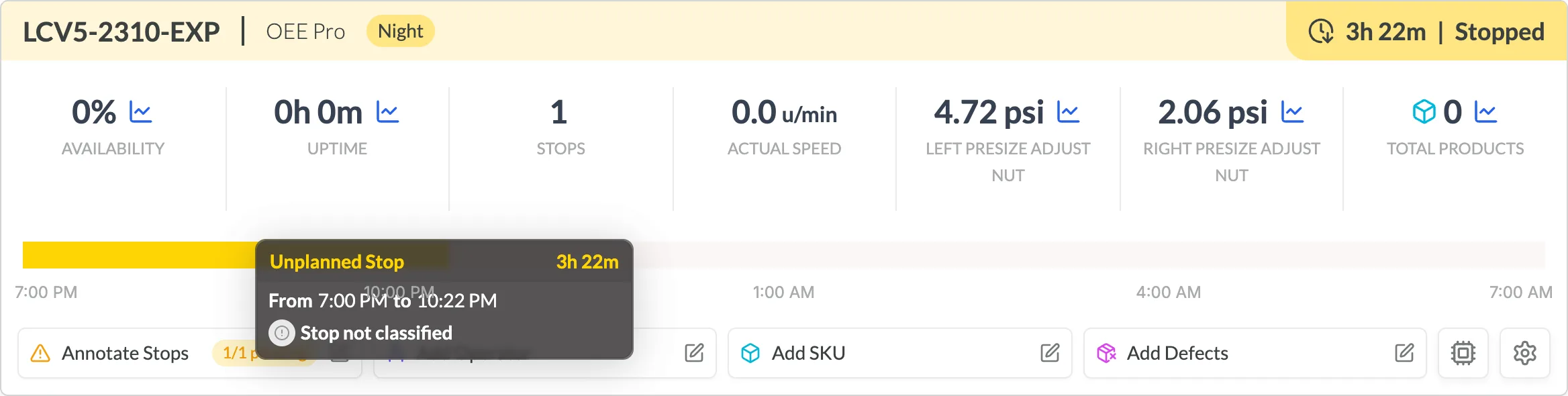
To see what the sensor is reading, click the chart icon next to the AVAILABILITY value. It opens a chart of the Current the sensor measured during the shift, in amperes.
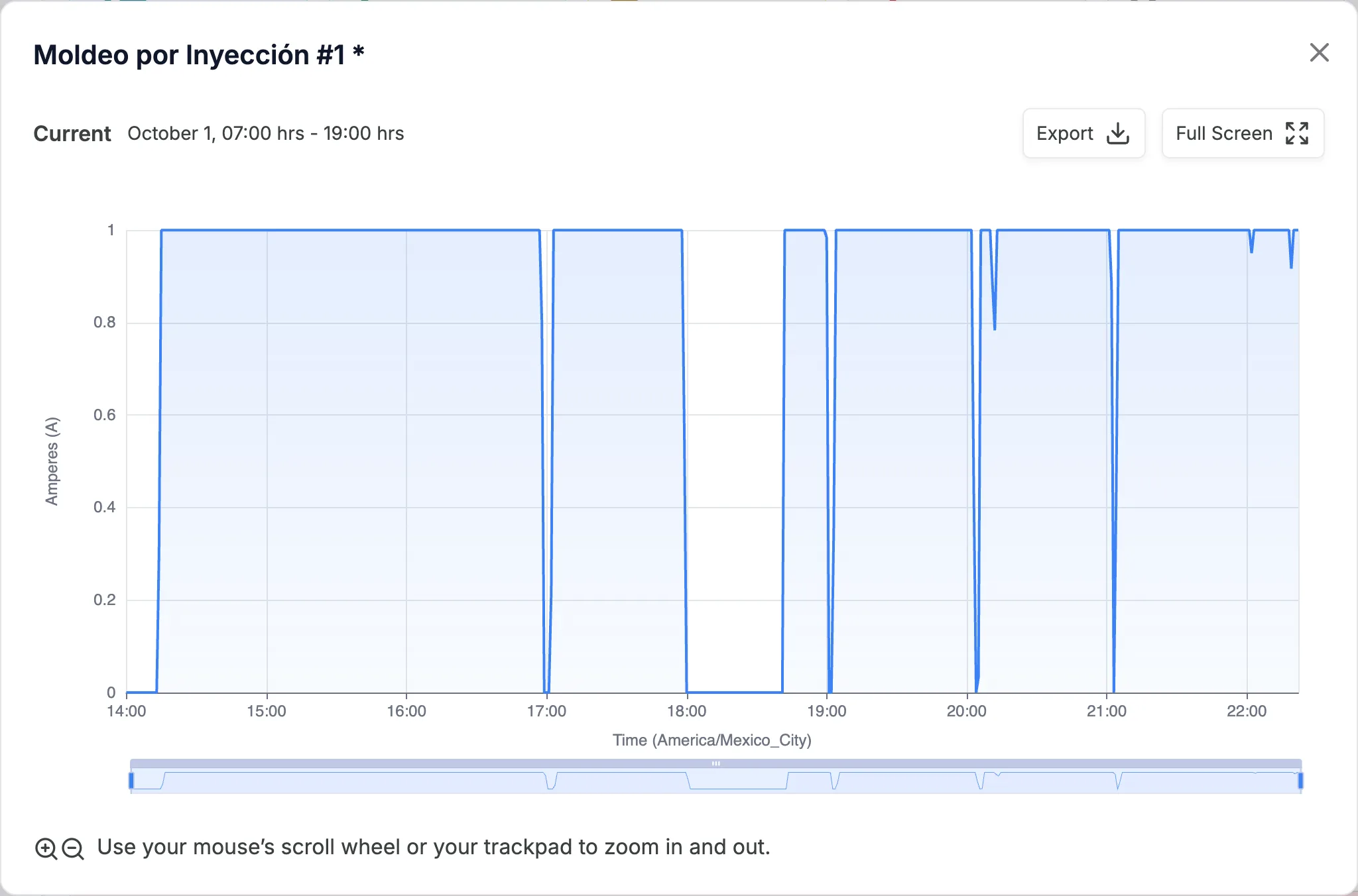
Inspect the node and the sensor
Check which of these cases applies.
Case 1: the sensor isn't on the right cable
Problem: the sensor isn't physically connected to (measuring) the electrical cable of the breaker that corresponds to the monitored machine.
Solution: connect the sensor to the cable of the machine you want to measure.
Case 2: the machine or its breaker was moved
Problem: the machine or its electrical breaker has been moved to another location, and the sensor no longer measures the machine's new cable.
- If the new cable is within physical reach of the sensor: connect the sensor to the new cable, and let the Pulsar team know about the change so they can update the configuration.
- If the new cable is not within reach: contact the Pulsar team to schedule the shipment of new hardware to measure the machine.
Case 3: the sensor or extension cable is damaged
Problem: the sensor or its extension cable is visibly broken or worn.
Solution: attach clear photos of the damage to a support ticket, and contact the Pulsar team to schedule the shipment of a replacement sensor or extension cable.
If none of these cases solves the problem, contact the technical support team by raising a support ticket.
To see whether the machine's Smart Hub lost its connection or its power, check its Hardware status.