Machine with no data
Restore the connection when a machine shows a gray "No data" bar in Pulsar, by checking the Pulsar Smart Hub and the router.
Machines without data show up in Pulsar's Real Time as a gray bar on their timeline, and they are counted in the NO DATA box at the top of the page. Hovering over the gray bar shows how long the machine has had no data, with its start and end times. The root cause is usually a problem with, or a disconnection of, the Pulsar Smart Hub or the router.
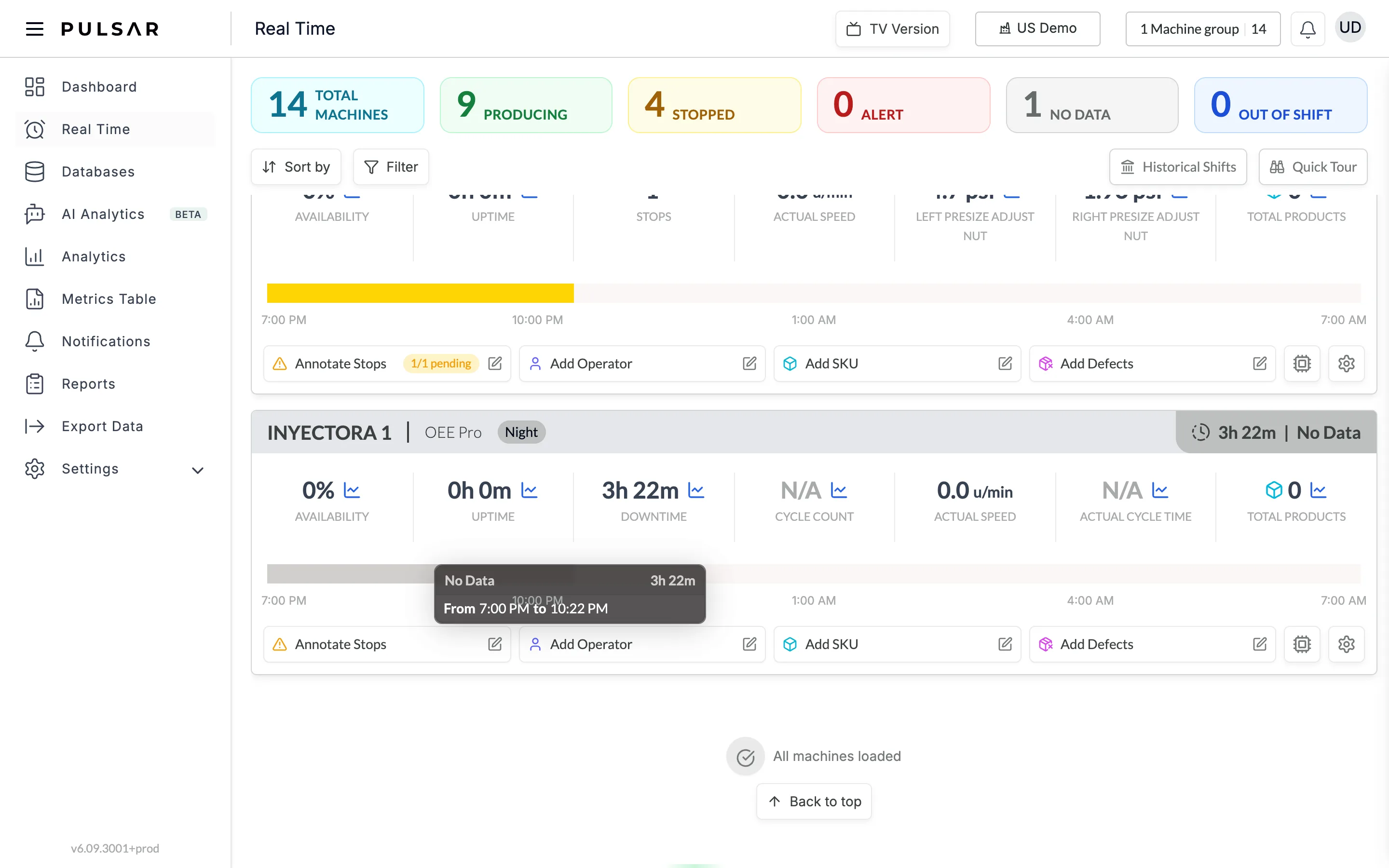
To restore the connection, check the following, in order.
Pulsar Smart Hub
- The power adapter is plugged in.
- The LED on the power adapter is on.
- The Pulsar Smart Hub is connected to the power adapter.
- The LED on the Pulsar Smart Hub is on.
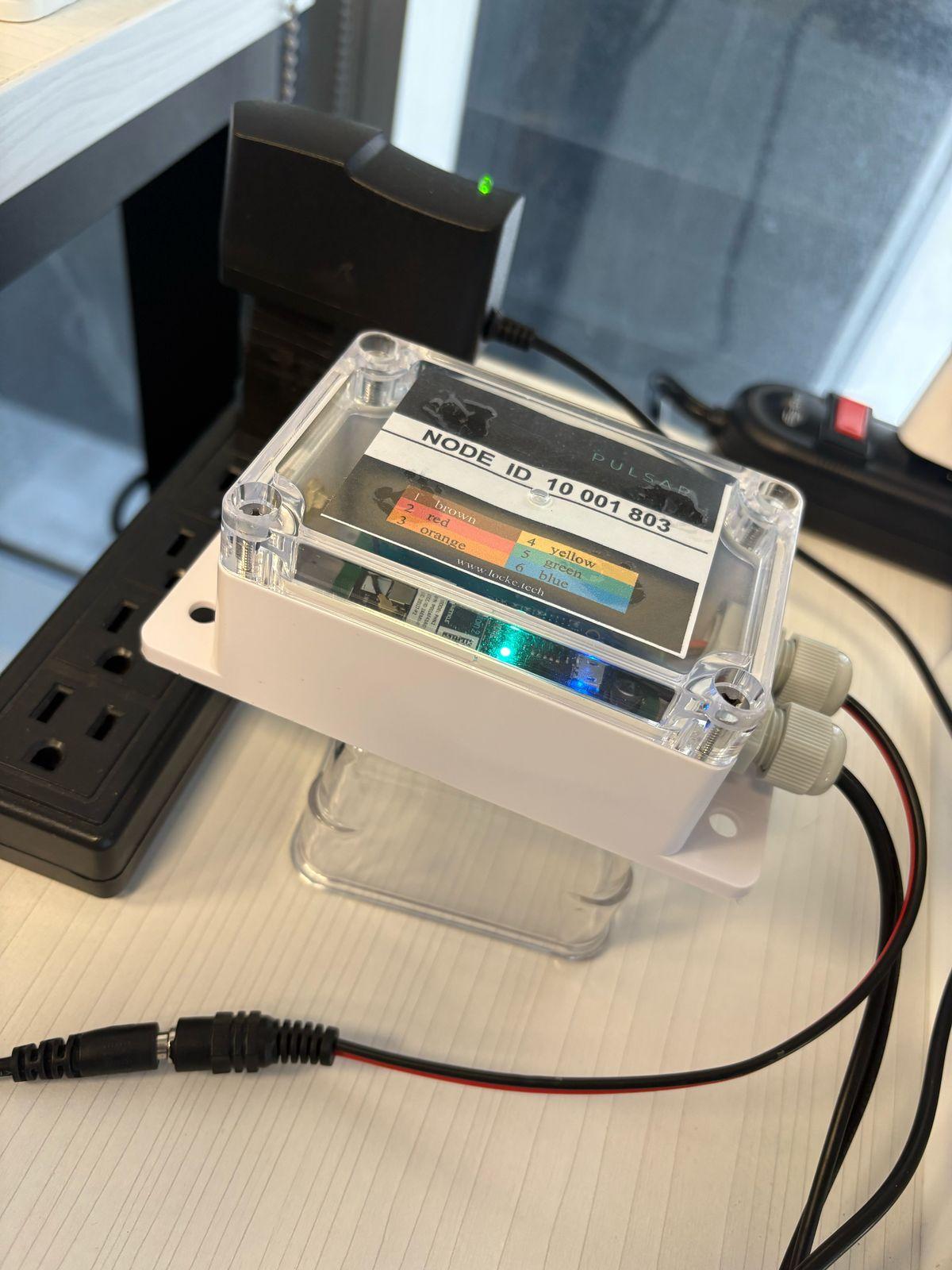
What the hub's LED means
| LED | Meaning |
|---|---|
| Slow blinking light blue | The system is online and working correctly. |
| Off | Check the connection to the power adapter and the power outlet. |
| Solid light of any color | Error. Restart the hub by unplugging it for 10 seconds. |
| Fast blinking light blue or green | Possible problem with the router. Check its connection and restart it. |
The Pulsar Smart Hub stores sensor data even without an internet connection: from 4 hours to several days, depending on the model. Once the connection is back, the data syncs to the cloud. If the hub has no power, it stores no data.
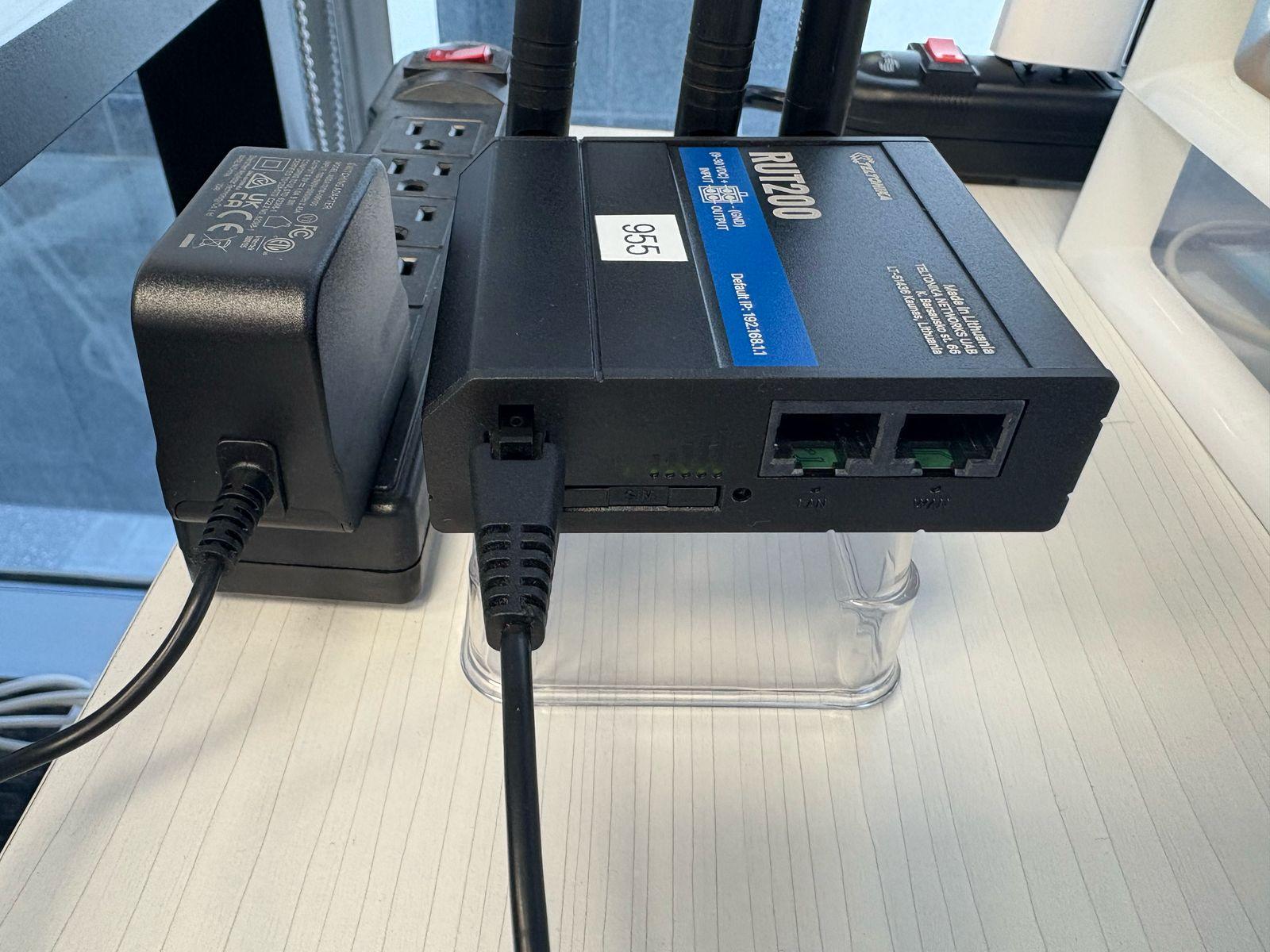
Router
- The power adapter is plugged in.
- The router is connected to the power adapter.
- The router's LEDs.
If the problem persists or you need help, contact your Customer Success representative or raise a support ticket from the app. You can also check the machine's Hardware status for recorded connectivity and power events.